
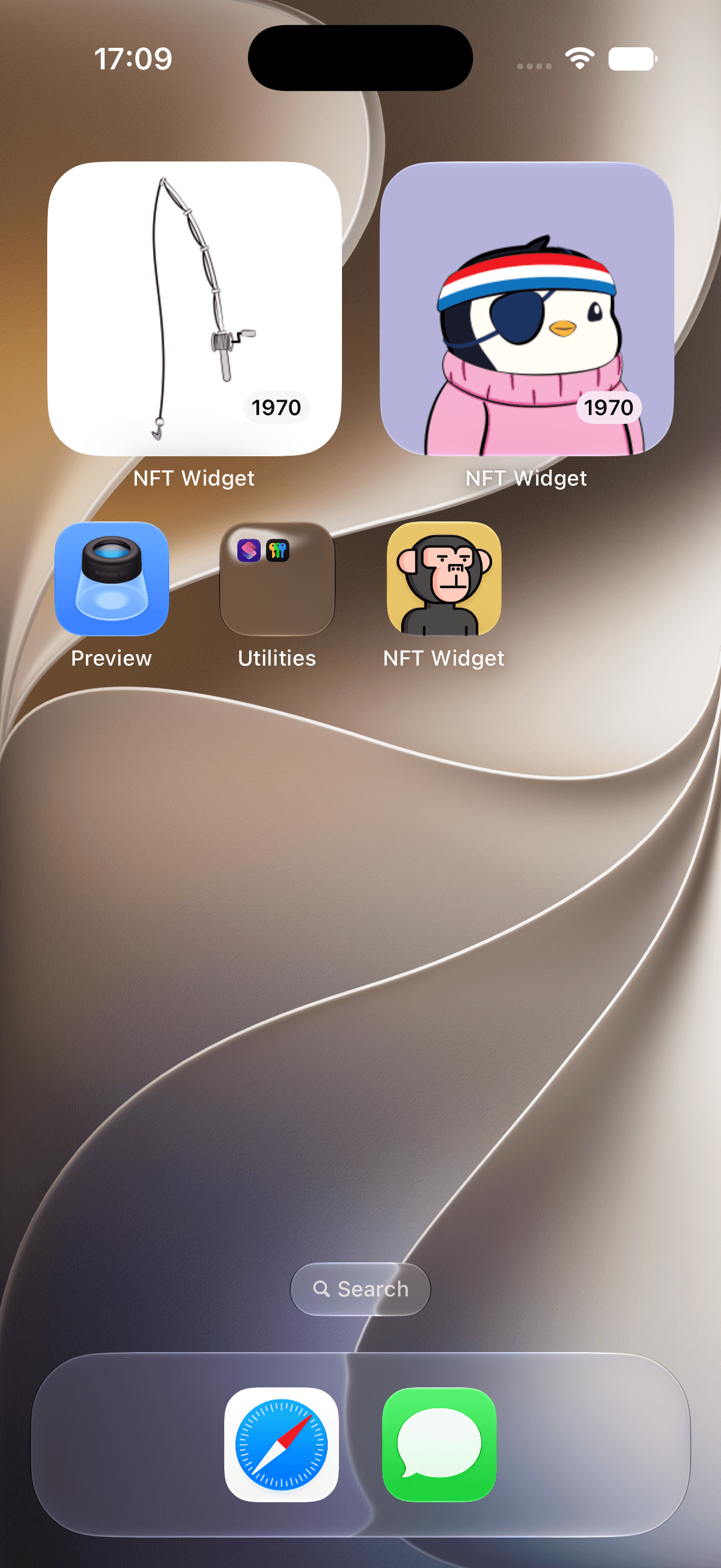
Your NFT collection, alive on your Home Screen.
Display the NFT art you own as a rotating gallery on your iPhone Home Screen. Add a public wallet address or ENS name—no wallet connection, signature, or account.


Uses a public wallet address or ENS name and only reads public onchain data.
- Read-only
- No account
- Private by design
Your collection, without the crypto clutter
A gallery—not another portfolio tracker
No charts, token prices, or trading feed. Just the art and digital collectibles you chose to keep.
Art, not prices
Put the visual side of your collection first, without turning your Home Screen into another market dashboard.
Choose what appears
Show the full collection or only your Favorites, then choose a title, year, or no caption for each widget.
Private by design
Add a public address or ENS name. There is no wallet connection, signing request, account, or private-key access.
Browse & curate
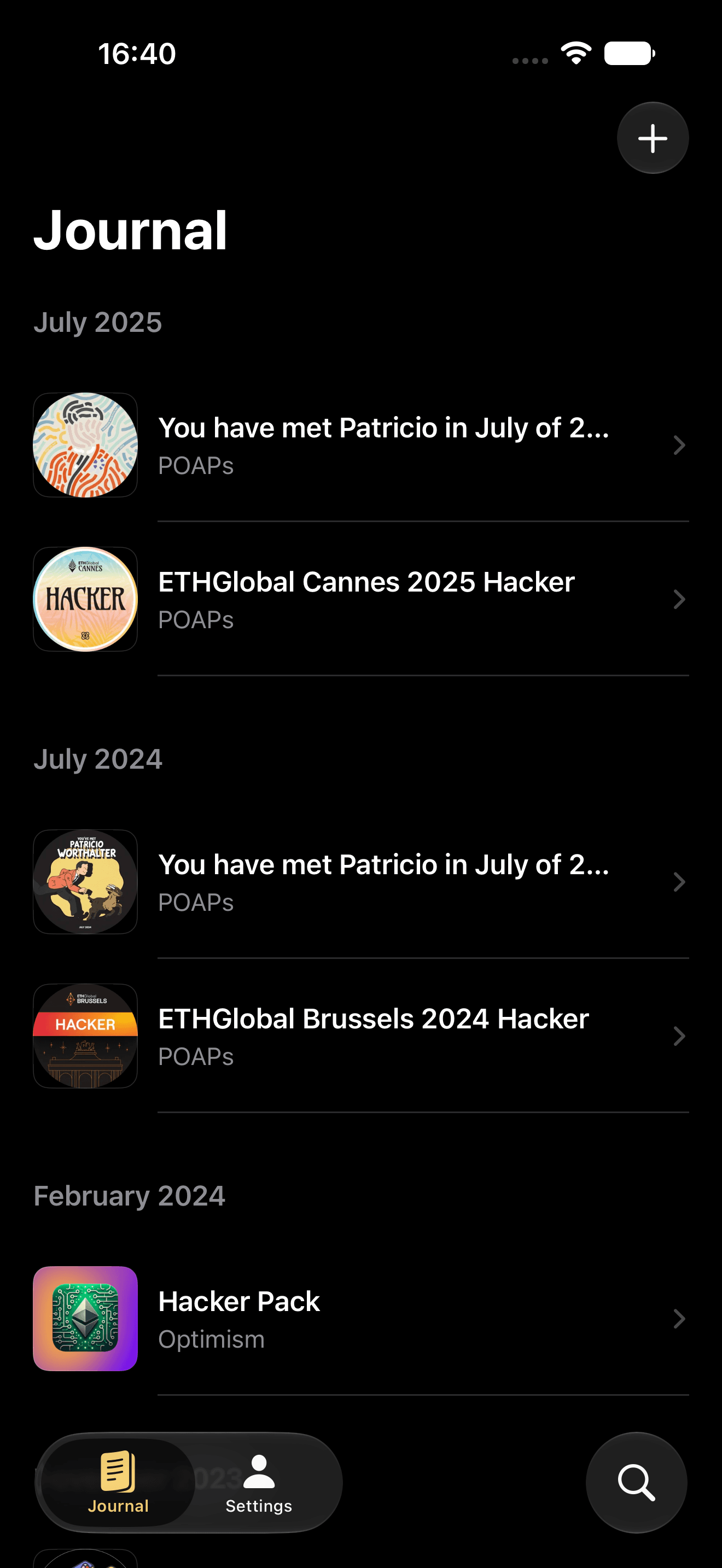
Your whole collection in one clear gallery
Browse NFT art and POAPs by month and year. Favorite the pieces you want in your widget, hide the rest, and search by collection or chain.
NFT details
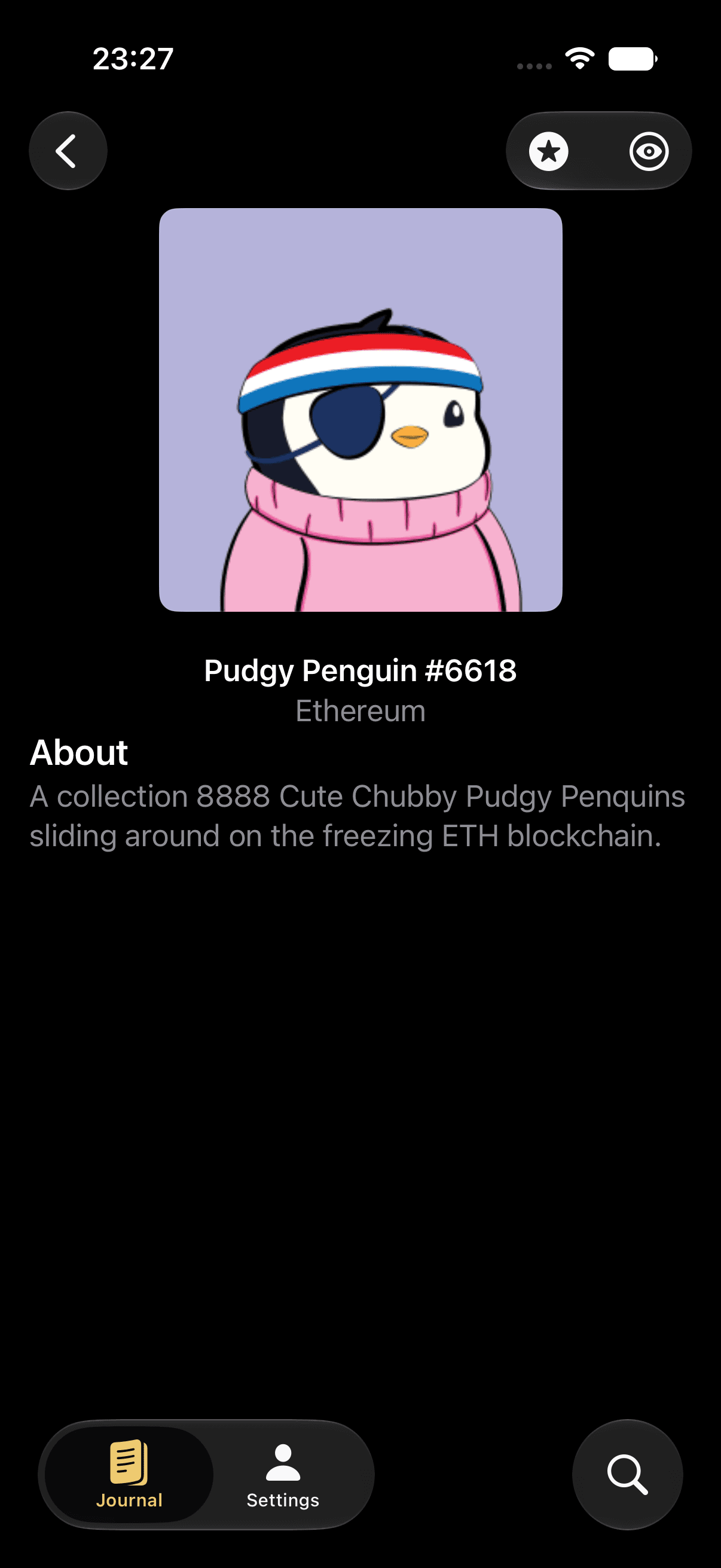
The artwork stays in focus
Open any piece to see its artwork, title, chain, and description without prices, trading controls, or marketplace noise.
POAP support
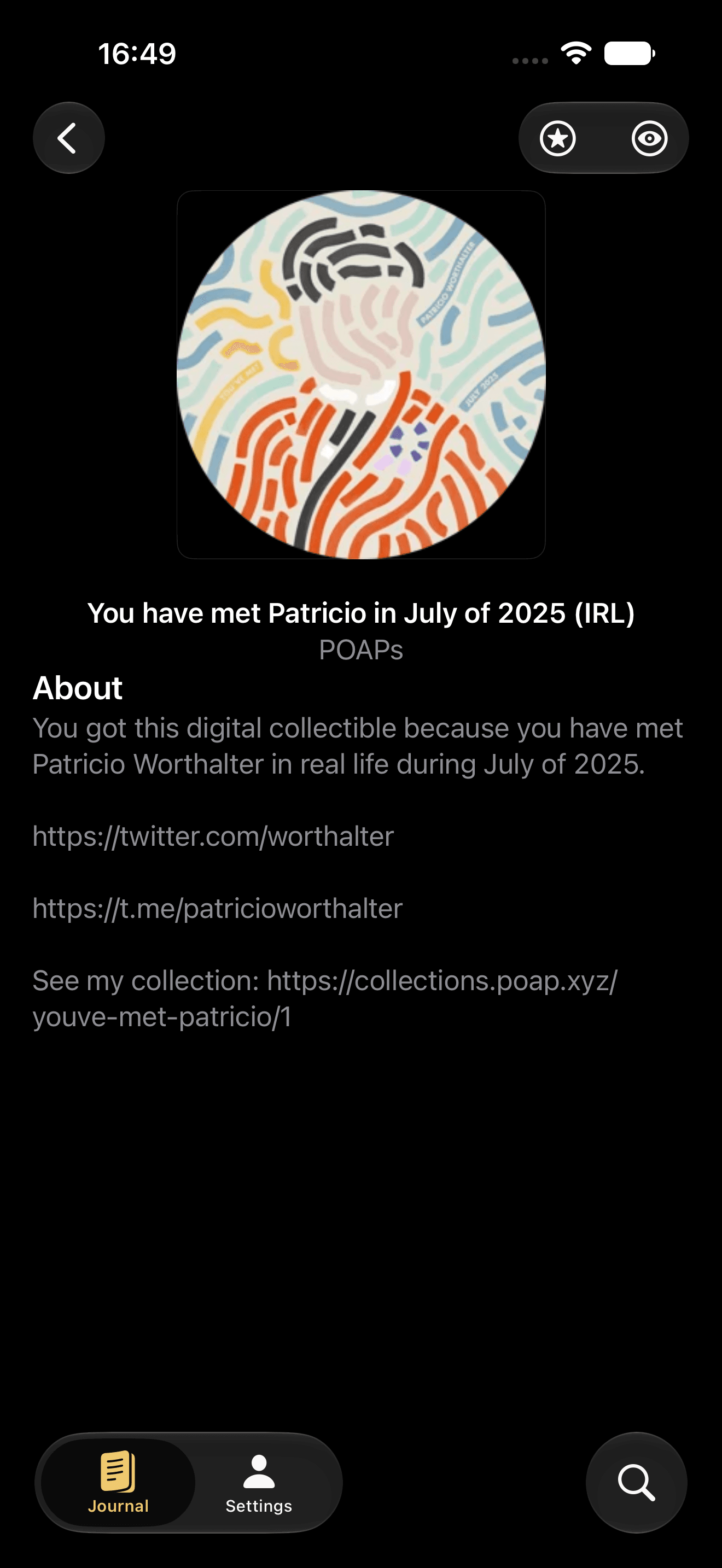
Your POAPs are welcome too
POAPs sit alongside the rest of your collection, so event badges and digital memories can appear in the same gallery and widgets as your NFT art.
Per-widget controls
Curate each gallery from the Home Screen
Long-press a widget and choose All NFTs or Favorites, then show the year, artwork title, or no caption at all.
One view across your onchain collection
Add a public wallet address or ENS name. NFT Gallery Widget brings supported chains and POAPs into one chronological, visual collection.
- Ethereum
- Polygon
- Base
- Optimism
- Arbitrum
- POAP
NFT widget FAQ
Good questions, plainly answered
What collectors usually want to know before putting an onchain collection on their iPhone.
Your collection deserves to be seen
Let the art and memories live somewhere visible.
Add a public wallet or ENS name and build your iPhone gallery in minutes.
Available on the App Store